Reviewers overwhelmingly had a great experience with this company. Customers consistently praise the software for being extremely easy to use, noting that it handles format conversions and removes DRM restrictions smoothly. People deeply appreciate how fast and intuitive the clean interface is, allowing them to effortlessly manage and back up their digital libraries across multiple reading devices.
However, some customers also noted that recent updates to reading platforms can break software compatibility, occasionally causing the program to stop working properly. A few users additionally mentioned that the free trial version is too limited or that certain stubborn files fail to convert as expected.
This saved my library.I mainly purchase ebooks from Amazon but with all the changes I am no longer willing to do so. Luckily I had always tried to back up my books but there were some that I hadn't so I tried Epubor.
So quick and easy to use. Now I have all my books and can convert them all to epub and I will no longer be forced to replace my kindle to read my books.
Ever since Amazon stopped giving us the ability to convert our ebooks, I tried Epubor, and it is perfect. It works amazing and helped me back up all my books.
I really would like to review the capabilities of this software... but the free trial gives me back only a txt and an identical version in epub. Right now, till I try the premium version, I cannot recommend this software.
Epubor 回复2026-07-13
The free trial version helps convert 20% of the original content and save as TXT format.
Of course, you can get a 3-day free giveaway license before purchasing a full license. Contact me [email protected]
Excellent software that works perfectly, but mind the single-license limit
Epubor Ultimate does exactly what it promises. It strips DRM seamlessly and handles modern eBook formats (like Kindle's .kfx or Adobe's .acsm) beautifully where other free tools often fail. The speed and layout retention are incredible. My only minor critique is that the standard license is strictly locked to one computer at a time, meaning you have to manually transfer the license if you switch between a desktop and a laptop. That small inconvenience aside, the software itself functions flawlessly, and customer support is fast to respond if you run into an issue.
Epubor 回复2026-07-11
To transfer the purchased license from an old PC to a new PC, you can deregister the tool or contact the support team.
Epubor is very practic my laptop doesn't handle much heavy programs and Epubor fits easily on it, and it's helping me a lot organizing my Ebooks from my Kindle to my Kobo and my other EReaders.
The user experience is very intuitive and accessible. I highly recommend.
Last year, we tried the Telstory converter for a certain period of time and the support received during the setup, but also the experience with the product itself has been great. All functionality as mentioned in the overview we found and setup proofed to be as simple as 123.
It is really frustrating and difficult trying to follow all the random online articles about converting ebooks. Even with a high technology understanding, I struggle. But Epubor was super easy to use, just a drag and drop and in a few seconds my ebook was ready. I can't recommend it enough!
Really good for backing Up books and to read on other devices
I have purchased more than a thousand books on Amazon. Epubor Ultimate has provided me an easy and quick way to make sure my large investment is backed up on a regular basis. The software enables me to back up to a variety of file types so my expensive investment in eBooks is protected permanently against loss. I would highly recommend Epubor Ultimate for anyone who buys a lot of eBooks.
Works well. But it's a shame that you can only convert a few books for free, after that you have to pay. It's not really clear on forehand, would be better if they make that more clear in advance.
Downloaded a trial version of Epubor Ultimate to assess the suitability of the software to be able to look at the transfer of Kindle books to read on my alternative ePub reader via my Win 11 pc.
So far it looks ok - I can successfully transfer a book to my reader but, as Epubor state, this is only 20% of the complete book and doesn’t have the Metadata to get things like the authors name or the book data.
I will apply for a free 7 day full license to assess the full product.
I use epubor to convert Kindle books to epub format so I can load and read them on my old ereader. I do this as my ereader can only open epubs, and I can't afford to buy a new one or a Hindle. I don't have any pcs with Win 11 on them so I need software that works with Win 10.
I stumbled across Epubor recently when trying to remove my Kindle books from the Kindle store to find that I can no longer do this! After finding the software and downloading the trial, I was impressed to find that using the software was simple and effective, I can now use my ebooks on any reader I like and all in a matter of minutes. I highly recommend!!
I really like how it is much more straightforward than Calibre and it is extremely helpful whenever Amazon updates. It is a good program that is worth its money.
Great piece of software for removing the DRM from Amazon Kindle books now that Amazon have increased the DRM on Kindle ebooks it has been made increasingly hard to remove the DRM which I find disgusting as sometimes the purchase of Kindle books is the only option and if you are a Kobo user it is frustrating as a ebook you own is locked to Kindle.I have only tried the trial which converts 20% of the book but I was impressed.


 BookFab
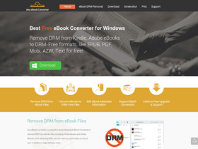 Any Ebook-converter
 Patch Please
 Claritycheck
 Hotels.com
 Paypal
 Nexifyhost
 Oliverse