

Epubor is my go to software to convert…
Epubor is my go to software to convert my ebooks. I especialy like the fact that they keep on improving there software.

Leading software developer and vendor that related to eBooks/audiobooks.
Written by the business, not verified by us.Epubor (epubor.com) has a 4.0 out of 5 rating on OK.one, based on 447 user reviews collected here. It is listed under Electronics & Technology and its reputation is good. 80% of reviews are 4 stars or higher and 11% are 1 star; The business has replied to 73% of negative reviews; Reviews mostly discuss User experience, Product, App. Last updated 2026-10-24.
Reviewers overwhelmingly had a great experience with this company. Customers consistently praise the software for being extremely easy to use, noting that it handles format conversions and removes DRM restrictions smoothly. People deeply appreciate how fast and intuitive the clean interface is, allowing them to effortlessly manage and back up their digital libraries across multiple reading devices. However, some customers also noted that recent updates to reading platforms can break software compatibility, occasionally causing the program to stop working properly. A few users additionally mentioned that the free trial version is too limited or that certain stubborn files fail to convert as expected.
Auto-generated from all reviews of this business. For reference only.Epubor is my go to software to convert my ebooks. I especialy like the fact that they keep on improving there software.
Fast and reliable for e-book management. I use it mainly to make all my formats the same as well as fix metadata. Customer service goes above and beyond
Epubor Ultimate was fast and easy to use, and I really liked how quickly it converted my files. The only downside was that the photos didn’t appear after conversion, which made the final result incomplete. Overall, it’s a great tool, but I hope the image issue gets fixed.
The app made it a breeze to convert a DRM PDF into a Non DRM Epub. I had purchased the PDF but I was unable to read it on my regular E Book reader. Once converted, I was able to read it at my leisure.
I tested the trial version of Epubor Ultimate on macOS and found it very easy to install and use. The software detected my ebook correctly and the conversion process was simple, fast, and intuitive. The result was excellent and exceeded my expectations in terms of usability and output quality. My experience with the trial version has been very positive so far.
I downloaded Epubor Snapplify Mate because I wanted an easier way to work with my Snapplify study books. Installation was straightforward, and the program automatically detected the books in my Snapplify library, which made getting started very easy. The interface is simple and clear, and I was able to see my textbooks immediately without having to manually search for them. I’m currently getting the licence so I can test the full conversion process, but so far the setup and book detection have worked well. I’m looking forward to testing the full features, especially with my N4 study material.
I love Epubor for converting my ebooks. It is so easy and quick to use when converting your ebooks. I have been using Epubor for over a year. Epubor is fantastic at sending updates to its customers as soon as they come out. Their customer support is the greatest. They get back to you immediately and work with you until the problem is solved. I highly recommend Epubor if you need your ebooks converted.
First time using it today. It kinda of a learning curve but doable. I was eventually transfer some books to my Kobo. It if was more User friendly id give for stars. BUT it did ultimately get the job done.
I tried Epubor Ultimate because I only need to convert a few Kindle books. The installation was straightforward, and the software recognized my book without any problems. I was a little disappointed that the trial version only converts 20% of the book. This is enough to see that the software basically works, but not really enough to judge whether a complete book can be converted without any issues. Since I only need to convert two or three books, a long-term license doesn’t really make sense for me. I therefore think a short-term license is a good option for occasional use like mine. Once I have tested the full version, I will be happy to update my review accordingly.
Did a trial Epubor Ultimate to convert an ebook I had purchased into a pdf for more portable use. Simplified the experience. Seems to work well.
I tested Epubor Ultimate to remove DRM from my own Kindle ebooks on Mac (Apple Silicon). The process required disabling System Integrity Protection (SIP) and using an older version of Kindle for Mac (7.53), which isn't trivial for a non-technical user, but their support/tutorial walks through it well. After following it correctly, the program recognized and processed my protected books normally. The trial version limits export to one page per book, so I haven't been able to validate the final result yet, but recognition and processing worked as expected. (Note: I received a free 7-day license in exchange for this review.)
It’s quite convenient to use Epubor to assist the reading. Very easy to learn how to use. Very happy to have the software which helps me a lot. Thank you for your team.
I've been using Epubor Ultimate for a while and so far it has worked well for me. It's pretty easy to use and the interface is simple, so you don't need to spend much time figuring things out. I mainly use it to manage and convert ebooks, and it does the job without much hassle. Overall, I'm happy with it.
Epubor is AMAZING! I have used it daily for the past two years. It helps me change files from one format to another in the click of a button. I use this software for so many things, but my main useage is to be able to put the books I write into the format needed to read well on the Kindle. I couldn't be more happier with it! If anyone is looking for software of this type, I will always recommend Epubor above all others!
Epubor stands out for its ease of use and for delivering exactly what it promises. It allowed me to convert my digital library to EPUB format quickly and seamlessly. The process is so intuitive that it is completely accessible, even for non-technical users.
We can agree with writers defending their rights to their works, but once I have paid for a book I should be totally free to read and manage it as and where I want without the impositions and commercial restrictions of digital reading devices. This product is simply fantastic.
Epubor is a solid program for managing and converting ebooks. I’ve found it easy to use, reliable, and it handles different ebook formats without much hassle. The conversion process does a good job of keeping the book’s formatting and information intact, which is important when moving books between different devices. It has saved me quite a bit of time when managing my ebook collection, especially when I want to read the same books on different devices. Overall, it does what it’s supposed to do, works well, and is straightforward to use.
I had ebook files that I wanted to convert. I tried some free softwares like Calibre. While they worked well most of the time, setup could be complicated and there were still some stubborn files that I could not get to convert. Epubor (Epubor Ultimate to be specific) was easy to set up and converted my files with no problems.
The software works perfectly and it is very easy to use. Ir worked for all my Kindle books. I strongly recommend it over other software.
447 reviews matching


 BookFab
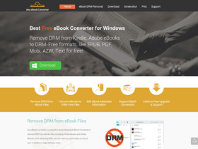 Any Ebook-converter
 Patch Please
 Claritycheck
 Hotels.com
 Paypal
 Nexifyhost
 Oliverse