Reviewers overwhelmingly had a great experience with this company. Customers consistently praise the software for being extremely easy to use, noting that it handles format conversions and removes DRM restrictions smoothly. People deeply appreciate how fast and intuitive the clean interface is, allowing them to effortlessly manage and back up their digital libraries across multiple reading devices.
However, some customers also noted that recent updates to reading platforms can break software compatibility, occasionally causing the program to stop working properly. A few users additionally mentioned that the free trial version is too limited or that certain stubborn files fail to convert as expected.
Epubor has truly been a lifesaver for me. As a student who still prefers the "old school" way of reading and taking notes directly on PDFs, dealing with EPUB formats was frustrating and time-consuming. I often struggled to convert ebooks into a format that allowed me to study more efficiently.
After discovering Epubor Ultimate, the process became incredibly simple. The software not only resolved the EPUB compatibility issue but also made it quick and seamless to convert files to PDF. I’m genuinely grateful to the team behind this product for creating such a practical and user-friendly tool. It has made my study routine much easier.
Like so many kindle users, I want a way to unlock the proprietary algorithm that prevents me from reading titles that I have paid for in the formats that I prefer. Also, Amazon has withdrawn and modified Kindle titles of books that were already purchased and customers have been helpless to prevent it.
Now they can.
With the release of Epubor's newest anti-drm conversion software, it is now ridiculously easy to unlock and convert kindle format titles to epub, pdf or other formats. This software is so much easier than using Calibre with add on extensions that it's absolutely worth paying for. I had 82 books unlocked and converted to epub using Epubor and I can say now that they're truly mine-just like the books on my bookshelf. What a great feeling to know that. When I replaced an old win 10 system with a new win 11 computer, I failed to "de-commission" Epubor so that I could install it in the new computer. No problem. I contacted their support and was quickly given a new install code. No hassle-just a level of professionalism that I seldom see anymore. Ironically, I'm now buying MORE Kindle books because I can now easily convert them to a format that would be available for my family to read-just like a real book. THANK YOU, Epubor!
Excellent Tool for eBook Management and Conversion
I have been using Epubor for a while, and I must say it’s an outstanding piece of software for anyone who deals with eBooks regularly. Its primary strength lies in its ability to remove DRM protection and convert eBooks across multiple formats quickly and efficiently. Whether you need to read Kindle books on another device or organize your eBook library, Epubor makes the process seamless.
The user interface is intuitive and beginner-friendly, which makes it easy to navigate even for non-technical users. I particularly appreciate the drag-and-drop functionality and the clear conversion options. The software supports a wide range of formats, including EPUB, MOBI, AZW, and PDF, ensuring compatibility with almost any e-reader.
Another highlight is the speed of conversion. Even large files are processed quickly without compromising quality. Plus, Epubor maintains the original formatting, images, and metadata, which is a huge advantage for those who care about layout and design.
Customer support is also responsive and helpful, and regular updates keep the software up-to-date with the latest devices and formats.
Overall, Epubor is a reliable and powerful tool that solves a real problem for eBook enthusiasts. If you’re looking for a solution to manage, convert, and free your eBooks from DRM restrictions, I highly recommend giving Epubor a try.
Update: I have found a way to make this program work for me. I still think a few things could be done to make it more useful for those who are blind or only use the keyboard, but I can use it. This is especially true, if I use the spacebar to make selections. I hope that the developers will allow it so that I can use the enter key as well. I will keep my original review below.
I wanted to convert kindle books to other formats, and their software is not set up to do it in a way that I want. I want to use it using the keys on the keyboard and it will not let me. Because I am blind, I cannot use the mouse.
I wanted something so I could move ebooks from my Kindle to my ReMarkable 2 (my preferred reading device). Nothing else I have tried has worked with the new DRM from Amazon but Epubor came up trumps. I'll be honest here, I dropped 1 star because I needed to downgrade some s/w to get things to work. Fix that and then 5 stars.
I knew this software from another post regrading how to translate Kindle e-books. It can convert different books into PDF, DOCX, or metadata. Book files are large, but the conversion speed is fast and the success rate is high! It's a treasure trove!
Epubor is amazing because it works.
It is simply magical how easy, quick, simple and fast epubor works, it was the only software capable of downloading some books from my kindle library and saving it to pdf. A book i have been trying to save it for a long time through other methods.
Epubor is also capable of saving your books in different file formats including the two most important ones (to me at least), pdf and epub.
The software is really good, i honestly recommend this software to everybody.
I had long been looking for software that would allow me to save my favorite magazine articles to share with my family without the use of a device. Epubor solved my problem quickly and easily. highly recommend
Excellent software! I have used it with Amazon ebooks, and it has never failed me. I have been able to save my books as both PDFs and Word documents for work. This works with both the Kindle on PC and the Kindle on a physical device. I highly recommend it; it is the best option among all those I have searched for and tried.
I originally purchased a licence to read my purchased ebooks on any of my devices (Kindle books are locked to my Kindle, etc.), but I've since discovered that I could convert ebooks from one format to another as well. This is a big deal for me as I can now choose the formats that work well for me.
And now, I've discovered that I can edit the metadata of the books as well, which helps me organise them neatly. Fantastic!
Simplicity!
That is the resume of using Epubor. Great tool when you are changing from e-reader like I did. Installing is simple and using evermore.
Just great.
Epubor is virtually a scam. The software does not work well - or at all - and you have to download virtual Android this-and-that to remove the DRM on ebooks purchased on different platforms, which is silly since, for example, you can directly download Nook ebooks to your phone/computer.
When asking for a refund, company starts making up policies and deducting fees (for software that does not work without some serious fidgeting around with it) and refuses to refund the total purchase price.
Unless you have a very straightforward ebook situation (like you just purchased an ebook and want to convert it), this software is much too cumbersome for being paid software and all-in-one claims.
Calibre, which is free is a much better option with the plugin downloads (still free).
Epubor 回复2025-07-11
The free trial version helps convert 3 books for free. You have tested all of the features before purchasing a license, so if you still requested a refund for no reason (no error screenshot but you just say it doesn't work), you can only receive a partial refund.
Say more, Calibre DeDRM plugin doesn't work for Nook books or audiobooks.
I have been using epubor for quite a while and it has always worked very well. Even after major updates from platforms they have always found a workaround to fix all the issues!
Highly recommended
I have been using Epubor Kindke DRM Removal Lifetime License for a long time.
This software is very easy to use.
I have a backup and have it in carible.
I have heard that if your kindle book account is suspended, you will not be able to read the books you have purchased. I know this happens rarely, but in case it does, this software is an effective solution.
Epubor really helps me with all the convert needs I have with my ebooks. Definitely a software that I would recommend to anyone that shares similar needs. I only use Epubor Ultimate, but they also offer many other softwares.




 BookFab
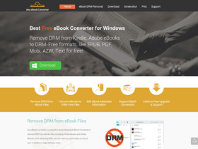 Any Ebook-converter
 Patch Please
 Claritycheck
 Hotels.com
 Paypal
 Nexifyhost
 Oliverse