
Convert your e-books easily!
I needed to convert my e-book to a different format. Epubor is extremely user-friendly and easy to use, I recommend it to every book lover!

Leading software developer and vendor that related to eBooks/audiobooks.
以上内容由商家自行提供,未经平台核实。Epubor(epubor.com)在 OK.one 的综合评分为 4.0 分(满分 5 分),基于本站收录的 447 条用户评价,属于电子与科技分类,口碑良好。80% 的评价为 4 星及以上,11% 为 1 星;商家回复了 73% 的差评;评价主要围绕使用体验、产品、应用。数据最后更新于 2026-10-24。
Reviewers overwhelmingly had a great experience with this company. Customers consistently praise the software for being extremely easy to use, noting that it handles format conversions and removes DRM restrictions smoothly. People deeply appreciate how fast and intuitive the clean interface is, allowing them to effortlessly manage and back up their digital libraries across multiple reading devices. However, some customers also noted that recent updates to reading platforms can break software compatibility, occasionally causing the program to stop working properly. A few users additionally mentioned that the free trial version is too limited or that certain stubborn files fail to convert as expected.
本段由 AI 基于该企业的全部评价自动归纳,仅供参考,不代表平台立场。I needed to convert my e-book to a different format. Epubor is extremely user-friendly and easy to use, I recommend it to every book lover!
I can't speak regarding Epubor's practices as a company—privacy, business practices, etc.—but I can say that their product has helped me tremendously in school. As a visually impaired individual, I use digital textbooks. I try and purchase them through Kobo when I can, but it's also incredibly restricting to only be able to read EPUBs on Adobe Digital Editions, only when I have a stable connection. Epubor removed all of those limitations. I could pass my textbooks from one device to the next, no matter the software or connectivity ability. Even just for the ability to be able to take my purchased textbooks and annotate them, it was worth it.
The product itself does the job, after a fashion. But the selling practices and pricing are very deceptive. There is no free trial version for a start, you then get sent to a sales page, which displays an "official" price ($25) but it isn't clear that you can only use the software for one year and then you have to pay again (for a measly 10% "discount") or buy a "lifetime" license ($50). The payment receipt I received from Avangate (2checkout) did not specify that I had purchased a one-year license and my 2checkout account shows that the license is non-recurring and still active after more than one year. But Epubor support refused to rectify the matter, claiming that I had purchased a one-year license and that I must now buy a lifetime license for $45. (They didn't even mention that the discounted price for this license is permanently $35.) Also be aware that it is a Chinese company based in Wuhan. It does not comply with EU, USA, Australian, Canadian consumer or privacy laws. The only recourse I currently have is to raise a complaint against Avangate in Holland as the retail outlet of the software. So far, they haven't been helpful at all, just fobbing me off and referring me back to Epubor in China.
Thanks for your review and sorry for causing you inconvenience. 1. Epubor official webiste lists the product price on product page, but won't say its license type. In general, the shown price is for 1-year's. But if you visit the order page, it lists the license types and prices. 2. If your license is within its valid period, I'm sure you can continue using your license. Unless it's expired, nobody will change your license valid time. 3. You can contact support team and ask for a student discount so that you can upgrade your license.
I was having difficulties removing the DRM from an ebook textbook I bought. I just wanted to be able to have it in the same place as my other E-textbooks and adobe digital editions wouldn't allow it. I tried other programs and none were removing the DRM, except for Epubor. Just when I was about to give up, I gave epubor a chance. Unfortunately it costs money, I believe after one free use. The only thing I wish is that they would lower the price or maybe have some sort of student discount. Alas, I must say it is worth it if you do it frequently like I do every semester with my textbooks.
Good way to convert from ADE to Kindle. The software works very well however you have to purchase the license if you want to convert the whole book. The trial version only gives you 20 % of the content.
The program is super easy to use! When you start it up, the software already finds the stuff on your computer and you just drag it in. I wish there was an option to just buy a license for a week or so because I don't need it for a very long time. It gave me exactly what I needed when my other programs didn't work. I wanted to convert my kindle book into a pdf so I could read it on my iPad and annotate it with an apple pencil. This allowed me to do so!
When I buy an ebook and I can't do with it what I want, that's very annoying. I want to be able to converse it into PDFs and Amazone's Kepub doesn't allow me to. Luckily, there's Epubor. They promise to do the trick. If they deliver (for free, the ebook itself is expensive enough) I'll scale up to 5 stars
I found the Epubor Converter easy to use, but if I needed information it was not quickly found. You cannot convert a full document without a registration code.
I've only tried the free trial version of the software so far which is quite limited in what it can do. Because of this it's difficult to give a proper review - I'd like to be able to see a demo of the full functionality, even if this is restricted to a couple of files, before I commit to a year or even lifetime licence. However, from what I have seen the software seems to work well and is easy to use.
I love reading and I have over 2000 Kindle books, and while I don't mind reading them on my Kindle, I found the library management abilities of Kindle, whether on an actual Kindle or even using the program on a computer, to be useless. There was no easy way to sort them or catalog them. I found another library management software (Calibre, highly recommended) that had AMAZING library management abilities, however, you can't read your Kindle books in it. Enter Epubor. This allows me to convert them from Kindle format to ePub (or mobi or pdf), and then I can import that into Calibre. It's nice not to be tied down to the Kindle. There's no need to import your books to Epubor - when you open the application it will automatically import all the downloaded titles from your Kindle library. I appreciate how I can bulk import books and bulk convert them. When you have tons of books, it's a pain to have to do it one by one. I also appreciate how on the screen there's a button you click and it opens a Windows Explorer window directly to the files it just converted and has them all selected, and then I can just drag them to Calibre to get them imported. Very easy. The one thing I think could use improvement is that when the list of Kindle titles is not necessarily in order. It's somewhat by the time you added them but not exactly - sometimes you'll add a book and it's 10 or 15 books down in the list. This is frustrating because it makes it easy to miss converting a book. One time I selected all of them (over 2000) and had it convert them all at once (took hours!) and then imported all of those to Calibre (thankfully, Calibre will ask you if you want to import the duplicates) and I ended up with nearly 70 books that had been missed. To add to the confusion, sometimes Epubor doesn't import the book title and it's just the Amazon SKU, and when there are multiple like that, and they are not in exact order, it's easy to miss them. That's probably my only complaint.
If you found the book title is shown with SKU, not the name, it's because your book hasn't been downloaded completely and imported. Click on “Kindle" icon to sync your books again please.
Decent application to help convert ebooks of various formats to *mobi format so that I can access all ebooks on kindle.
Epubor is a great application for converting various files. It has helped me a lot. Very useful, would recommend.
very good programme for converting files so that I could read on kindle. easy to download and use.
Does what it says on the tin. Not only, but when converting a kindle book, it warned me the version of Kindle I was using wouldn't work with it. So, from a single button within the Epubor appl., with the appropriate warning, it uninstalled the version I had, downloaded the version it needed, and installed that. That is a level of attention to detail, you do not normally see in S'Ware development.
This thing works but it’s way too expensive to pay $30 for using it. I ain’t no Rockefeller. Yinz should do something or I don’t know.
Great app, fast and very simple to use. You install it, choose correct file, wait 10 seconds and your file in pdf format is ready to use. Worked for me to convert and print my book that I recently bought on Google Play.
Quite happy with interface and ease of use. Would like for it to have a short term licence on top of annual license to choose from. However, good overall.
I am a basic PC user and I found it very easy to download, install and then use the Ebupor software converter. I purchased a book on Kobo books, but I wanted to be able to use it on other devices, as well as having it in pdf format. This program was the perfect answer for me.
Good product, works well, very reliable. Overall very pleased with it! Particularly fond of the software’s ability to automatically detect .azw files on your computer, big time saver. It also provides you with a button that opens the output folder for your convenience. The UI is clean, accessible, & intuitive.
共 447 条符合条件的评价
 BookFab
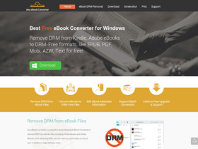 Any Ebook-converter
 Patch Please
 Claritycheck
 Hotels.com
 Paypal
 Nexifyhost
 Oliverse