WPS Office is a lightweight, feature-rich comprehensive office suite with high compatibility. As a handy and professional office software, WPS Office allows you to edit files in Writer, Presentation, Spreadsheet, and PDF to improve your work efficiency. WPS Office is available on multiple platforms, including Windows, macOS, Linux, Android, and iOS. You can work anytime and anywhere on your mobile phone or computer. Work-study-life balance is no longer a far-fetched dream but at your fingertips.
Most reviewers were let down by their experience overall. Consumers expressed deep dissatisfaction because unexpected subscription fees, sudden paywalls, and updates caused issues with file access. Reviewers also noted that the application overrides default settings, changes icons, and installs itself without clear notice. Many people experienced severe issues with customer support and found the overall software behavior intrusive and unacceptable.
Some people were satisfied with the application, mentioning it is easy to use, helps format documents well, and serves as a practical tool. Others pointed out that the software worked well for free over long periods without any unexpected payment demands.
Do not purchase premium subscription - no benefits received and no resolution
I had a very disappointing experience with Anydoc Translator (part of WPS Office).
I purchased a Premium subscription, but none of the advertised Premium benefits were activated on my account. Despite paying for the service, I was effectively left using the free version.
I made repeated attempts to resolve the issue through every support channel I could find, including email, live chat, and the official Discord server. Unfortunately, I either received no response or no meaningful assistance, and my issue remained unresolved.
What was especially frustrating was that when I posted a public comment asking who I should contact to receive the Premium benefits I had paid for, the comment was quickly deleted instead of being answered. That gave the impression that legitimate customer support questions were being removed rather than addressed.
Overall, I paid for a Premium subscription but received none of the Premium features and was unable to obtain any effective customer support despite multiple attempts. Based on my experience, I strongly recommend avoiding Anydoc and its overall WPS product, as a quick google shows it's heavily controversial and even described as malware.
i THOUGHT THAT I BROUGHT A QUALITY PROGRAM I DID NOT REALIZE THAT HE WAS GOING TO DRIFT ME EVER TIME I USE IT.. I PAID 140.00 THINK THAT THE EDIT BUTTON WAS GOING TO WORK ON MY POWERPOINT NOW IT WANTS TO CHarge an additional fee YEARLY JUST TO EDIT MY POWERPOINT PRESENTATION ARE YOU KINDING ME
Awful awful awful! I signed up with a now deleted email account for a free trial which I know I canceled, I no longer have access to the email or the account. I tried emailing but they keep meeting me with the same emails repeatedly despite me providing evidence they charged me twice within 6 months, both at £41.92 for a year long trial and did it again which is ridiculous. Pls never use their services they're scamming and disgusting and genuinely this has pissed me off
Becareful, this app has reduced my gopay saldo for their subscription without my consent! They are not allowing refund. Creepy, even google doesn't ask for my biometric permission to do it! Check your subscription on google play, becareful of this app!
UPDATED - WPS Problems with PDF Editor Application
I have been using WPS for about 5 days now. I opened every type of MS Office I have worked with (Docs, Sheets and PPT). Many of my PPT presentations and Docs used text shadows and effects. WPS opened them without issue, retaining all of the nuances. The fact that it is less expensive makes it better. However, the real kicker is the integration between PDF editing and the other tasks. I was able to take an archived PDF file of a banking statement, open it as a PDF in WPS, and convert it to a spreadsheet in about 23 seconds. And it was EXCELLENT. In addition, if you open a scanned PDF file, it quickly turns it into a text PDF for easy editing. Don't just look at the price compared to MS Office, because you also get an outstanding PDF editor which integrates between the other functions. That's like an Adobe Acrobat AND MS Office all wrapped up into one. So far, I highly recommend this product. I haven't used the cloud sharing component yet, so I can't comment on sharing files.
UPDATE (Added June 18th): Having seen many reviews regarding issues of overcharging, etc. I wanted to see what happened when my 7 day trial ended. At the conclusion of my 7 day trial, they charged me $18.99 for a 6 month premium subscription. No overcharges - no double charges. So far, still works fine (my subscription does not include the AI feature). It lists a renew date 6 months from now. $19 for a product that works competitively with MS office PLUS an integrated PDF editor that seamlessly works with the other functions. I rate WPS 5 star for my experience. I will keep everyone posted if anything changes.
UPDATE - AUGUST 6, 2026
Having used WPS for almost two months I have run into many problems with the PDF Editor application.
When editing in the editor it will often look fine, but when I save the file and open it in another program (Chrome, Reader, Edge) the fonts are not correct. When I open in Adobe Acrobat, each letter has its own separate text box, rather than treating like a text box for a paragraph or sentence. Also, when copying and pasting text, the paste is rotated 90 degrees if my document is in landscape format. I hope WPS can correct this at some point. The conversion between DOCs, Spreadsheets and PDF is in my opinion a great strength - but not if the PDF looks bizarre when saved and viewed in another application
The application is filled with pop ups asking you for premium subscription, and it is filled with AI "tools", which make it excessively cluttered. Also the suite is HUGE in storage space, even without making documents. I don't plan on ever installing this again.
I was shocked by how aggressively this software integrates itself into a system. After accessing a shared document, WPS Office ended up on my computer and began taking over file associations and default settings that I had never agreed to change.
The lack of transparency and respect for user preferences is concerning. Software should earn a place on a user's computer, not force its way in. This was a frustrating experience from start to finish, and I uninstalled it immediately.
THE ABSOLUTELY WORST AND MOST INVASIVE APPLICATION I HAVE EVER SEEN. My colleague sent me a link to a file through WPF Office. WPS Office automatically installed on my computer, and overrode all the default settings to be redirected to WPS Office. No request for permission, nothing... just installed itself and centralized everything. I wish you go bankrupt.
Lying and fraudulent, don't subscribe to it!
I subscribed to $4.99 for 12 months. They immediately charged me $69.99 on 21 May 26. A few days after that they attempted to charge me a further fee of $169.99 which I blocked.
In response to my inquiry and request to cancel on 29 May 26 they agreed to cancel my subscription but refused to return any money. They then sent me an email saying I'd have access to WPS until 20 May 26 - a day prior to my signing up to it. So not only did they fraudulently steal my money they then give me less than zero user credit for the money they won't refund!
Avoid
Would I recommend this product - no fecking way!
I'm leaving this review here, because Google Play store doesn't have my review listed. Very shady. Here is my original review.
Free version no longer exists. IDK why or when this changed, but the app is unusable unless you pay for premium, and it is expensive. It used to be that premium was extra premium features on top of the basic free version. Now the free version is a file viewer only. You can't do anything with it, other than view files. On top of that, you're fighting pop ups the whole time just to view the files. Really sad. I've been using WPS for 16. Now it's garbage. Uninstalling.
What a disgrace! This site is nothing but a nuisance! It got on my computer against my will TWO times, and both of those times I had a very very hard time deleting it, because wps.exe and wpp.exe were constantly running, holy shit! Shame on you!
Like many other users, I started a free trial for WPS Office and did not intend to continue with a paid subscription. However, an automatic charge of 14,000 PKR was made through Google Play without my intention to proceed with the subscription. I kindly request a refund for this accidental renewal.
Basic version is supposed to be free. but suddenly after working reasonably well (cloud is only slightly confusing) for a few weeks, all files now opened as read only with no way to fix this (unless - apparently - a paid subscription was taken out - that's not gonna happen - MS Office 365 subscription would be cheaper). So have installed a cheap standalone 2021 version of Office 365. This works brilliantly.
I am a user with accessibility and vision-related limitations who relies heavily on voice dictation software because excessive visual strain can worsen my condition.
What happened with your software during the writing of my 42-chapter manuscript was deeply distressing. The document appeared to save correctly, yet recovery versions were incomplete, and repeated upgrade and read-only prompts created confusion about what had actually been saved.
For a disabled user, this is not a minor annoyance. It creates genuine fear of losing important work and places extra strain on people who already face barriers using technology. Someone with more severe accessibility limitations than mine could easily lose years of work because of these practices.
I believe the way WPS Office handles saving, recovery, upgrade prompts, and document restrictions is unethical and harmful to users. Software that people trust with important creative work should never create uncertainty about whether their documents are truly safe.
You should be ashamed that your product design creates this kind of stress and risk for accessibility users and writers who depend on reliable saving behaviour.
The "Uninvited Guest": How to Stop WPS Office from Hijacking Your Windows 11 Photos
As a long-term user of WPS Office, I have appreciated the suite as a practical tool for my personal projects and documentation. However, I have encountered a frustrating behavior where a bundled "WPS Photo" component takes over my image files (.png and .jpg) without my consent.
Every time I manually reset my preference to the standard Windows "Photos" app, WPS would "repair" the association back to itself the moment I restarted my computer. It felt like my own choices were being ignored by the software, and it became a significant daily headache.
After looking into why this was happening, I discovered that WPS uses a background "watchdog" process and a hidden bridge file to monitor and revert user settings. Because this file is tucked away in a versioned folder within the User AppData directory, it is very difficult to find using a standard search.
If you are facing this issue, you do not need to uninstall the entire office suite. You simply need to break the redirect chain by neutralizing the specific file that intercepts your image requests. Here is the fix:
LOCATE THE FILE:
Navigate to your local AppData folder. The path will look like this (replace [User] with your Windows username):
C:\Users[User]\AppData\Local\Kingsoft\WPS Office[VersionNumber]\office6\
IDENTIFY THE FILE:
Look for a file named: photolaunch.exe
NEUTRALIZE IT:
Rename that file to: photolaunch.exe.bak
(Note: If it says the file is in use, close any open WPS windows first).
RESET YOUR DEFAULTS:
Right-click any image > Open with > Choose another app > Select "Photos" and check the box "Always use this app to open .png files."
By renaming the file to a .bak extension, you pull the plug on the "watchdog." When WPS tries to force itself back as the default, it finds a dead end, and Windows is finally able to honor your choice.
WPS Office is a capable suite, but forcing these associations is a breach of user trust. Software should serve the user, not override their preferences. If you want your computer to stay organized your way, this simple bit of maintenance is the way to go.
_________________________________________________
UPDATE (May 2026):
Please be aware that whenever WPS Office updates to a new version (e.g., jumping from version 12.1.0.25862 to 12.1.0.26372), it will create a new folder and reinstall a fresh photolaunch.exe. When this happens, the "hijacking" behavior will return because the software ignores the .bak file in the old version folder.
To fix this after an update:
Navigate back to your AppData\Local\Kingsoft\WPS Office\ folder.
Look for the newest version number folder.
Repeat the rename process (rename the new photolaunch.exe to .bak).
I’ve found that using PowerShell is the fastest way to find the new "hiding spot" for this file after an update. It’s a bit of extra digital maintenance, but it’s the only way to keep your desktop truly yours.


 LibreOffice
 MobiOffice (formerly OfficeSuite)
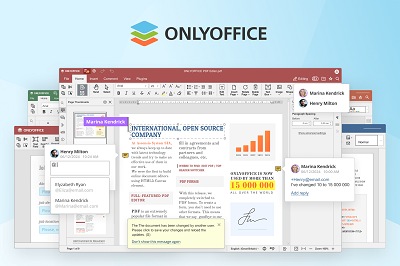 ONLYOFFICE
 SoftMaker
 Softonic.com
 Thumbtack
 Microsoft
 Magnific