

Is a good as it gets
Have used for some years. First rate seems to have everything one needs. Use spreadsheet to monitor my energy useage. Works perfectly.

WPS Office is a lightweight, feature-rich comprehensive office suite with high compatibility. As a handy and professional office software, WPS Office allows you to edit files in Writer, Presentation, Spreadsheet, and PDF to improve your work efficiency. WPS Office is available on multiple platforms, including Windows, macOS, Linux, Android, and iOS. You can work anytime and anywhere on your mobile phone or computer. Work-study-life balance is no longer a far-fetched dream but at your fingertips.
Written by the business, not verified by us.WPS Office (wps.com) has a 3.1 out of 5 rating on OK.one, based on 524 user reviews collected here. It is listed under Electronics & Technology and its reputation is mixed. Opinions are polarized: 53% rate it 4 stars or higher while 38% give 1 star; The business has replied to 9% of negative reviews; Reviews mostly discuss User experience, App, Product. Last updated 2026-10-24.
Most reviewers were let down by their experience overall. Consumers expressed deep dissatisfaction because unexpected subscription fees, sudden paywalls, and updates caused issues with file access. Reviewers also noted that the application overrides default settings, changes icons, and installs itself without clear notice. Many people experienced severe issues with customer support and found the overall software behavior intrusive and unacceptable. Some people were satisfied with the application, mentioning it is easy to use, helps format documents well, and serves as a practical tool. Others pointed out that the software worked well for free over long periods without any unexpected payment demands.
Auto-generated from all reviews of this business. For reference only.Have used for some years. First rate seems to have everything one needs. Use spreadsheet to monitor my energy useage. Works perfectly.
Excelent compatibilty, except for some lacking in powerpoint. Performance way above microsoft equivalent tools. The fact of it being a single, integrated application, with the addition of pdf support, makes it even more convenient than microsoft office.
I've used WPS Office for a number of years after comparing other systems and have never been let down by It. WPS office is a robust and understandable, Would recommend to anyone.
I love using the app
It's a good program and recommend.
Help me a lot, thank you!
So easy and straightforward, especially for someone who has not used this kind of package before.
Great and extensive functionality. Works equally well on Android and Windows. I've been using it for nearly 20 years
good but i wonder if i wantes to add document/pages on PDF file, it has to create new file name @ copy new file ?
I didn't even know this program until a few years ago I needed one to get ride off that Office. I was totally surprised. Pretty, easy and a lot of different options. I don't want any other program.
Your WPS is so easy!, it counts with many functions, and I think is better than M.Office. I thank you all.
Excellent offimatic suite, easy to work with
I have used WPS for many years and always found it an easy system to use. It fulfills everything I need especially accounting.
WPS Office has a virus like behavior. It installs itself through a click of a link in an email sent to unsuspecting victims. I helped someone get rid of it, and it wasn't easy. It didn't only took over the system and made sure Microsoft Office can't be the default software opening Work, Excel etc., but it was also impossible to remove through usual methods. It was so aggressive, that after finally uninstalling it, it took many hours to restore the default office icons. All office files had white page like icons, because WPS changed the default path in the registry to icons for office files. Just like a virus would be designed. Oct. 13 update post WPS response: I have contacted support, and received almost a robotic response, as if everything I explained was completely overlooked. I'm a professional computer technician and can assure you I can delete a software in the standard fashion. My client received the following notification in their email (I spaced the link so it won't work): "Please check the attachment Shared from WPS Office: https:// kso. page. link/ wps" Clicking on the link caused WPS to install itself violently, and take over the defaults set by the user. Just like a virus would.
Dear Yuval, Thank you for sharing your feedback on Trustpilot regarding your experience with WPS Office. We take all feedback seriously and apologize for any inconvenience you may have encountered. We assure you that WPS Office does not have any virus-like behavior and does not install itself through email links. Our software is designed to be downloaded and installed directly from our official website or trusted app stores. However, we understand the frustration you faced with configuring Microsoft Office as the default software for opening Word, Excel, and other files. We apologize for any inconvenience caused. Changing default software settings is typically done by the user during the installation process, and we regret if this was not clear or if it caused any difficulties for you. Regarding the difficulty in uninstalling WPS Office, we apologize for any inconvenience caused. Our software can be uninstalled using the standard methods provided by your operating system. If you encountered any issues during the uninstallation process, we encourage you to reach out to our dedicated support team at [email protected]. They will be more than willing to assist you and guide you through the uninstallation process. Restoring the default office icons can be done by resetting the file associations on your computer. This can usually be done through the Control Panel or Settings menu of your operating system. If you need assistance with this process, our support team will be happy to guide you. We value your feedback and want to ensure that your experience with WPS Office is positive. We appreciate your patience and understanding in this matter. Please do not hesitate to contact our support team at [email protected] for further assistance or clarification. Best regards, WPS Office Support Team
I like it because Its free and every needed feature is available.
Thank you for your love, we will continue to maintain the quality of our products, and hope you will always like our products.
If you are running Windows on your laptop, WPS will take over control and you cannot use excel or other Microsoft software, and you cannot uninstall. WPS is the worst spam I have seen. Don't let it into your computer. 😝
hello, WPS office cannot preempt the application order of your computer, you can set it yourself: Please click Windows Setting > Apps > Default Apps > Choose default apps by file types, find out Office file format such as doc., then you can choose Office as the default app.
 LibreOffice
 MobiOffice (formerly OfficeSuite)4.7
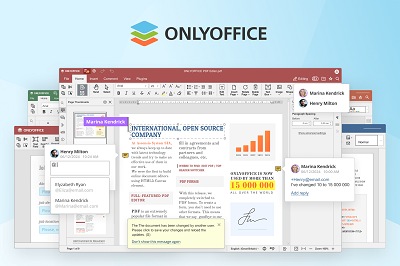 ONLYOFFICE
 SoftMaker
 Softonic.com
 Thumbtack1.8
 Microsoft1.2
 Magnific
524 reviews matching


