WPS Office is a lightweight, feature-rich comprehensive office suite with high compatibility. As a handy and professional office software, WPS Office allows you to edit files in Writer, Presentation, Spreadsheet, and PDF to improve your work efficiency. WPS Office is available on multiple platforms, including Windows, macOS, Linux, Android, and iOS. You can work anytime and anywhere on your mobile phone or computer. Work-study-life balance is no longer a far-fetched dream but at your fingertips.
Written by the business, not verified by us.
Is WPS Office legit?
WPS Office (wps.com) has a 3.1 out of 5 rating on OK.one, based on 524 user reviews collected here. It is listed under Electronics & Technology and its reputation is mixed. Opinions are polarized: 53% rate it 4 stars or higher while 38% give 1 star; The business has replied to 9% of negative reviews; Reviews mostly discuss User experience, App, Product. Last updated 2026-10-24.
What reviewers say
AI generated
Most reviewers were let down by their experience overall. Consumers expressed deep dissatisfaction because unexpected subscription fees, sudden paywalls, and updates caused issues with file access. Reviewers also noted that the application overrides default settings, changes icons, and installs itself without clear notice. Many people experienced severe issues with customer support and found the overall software behavior intrusive and unacceptable.
Some people were satisfied with the application, mentioning it is easy to use, helps format documents well, and serves as a practical tool. Others pointed out that the software worked well for free over long periods without any unexpected payment demands.
Auto-generated from all reviews of this business. For reference only.
WPS is probaby the most versatile office tool out there. It has, well basically, everything i need to do my work well. What i love most is definitely the tab thing :D it allows me to work on different files and types of files (doc, sheet, slide) without having to worry about having a lot of windows open at the same time which can get really messy. And this feature, i havent seen it elsewhere but WPS. Besides WPS also offers an "eye protection" mode! My eyes get strained really easily, and so this mode has been a tremendous help. I may sound like a robot or sth but yeh this is my honest review and i really hope y'all can give WPS a try cuz i know im not leaving it anytime soon :P
WPS is the best used equivalent. And maybe even better than the original. Feel free to try it out.
Reply from WPS Office2023-06-28
Thank you for your recommendation and affirmation! We are very happy that you are satisfied with your experience with WPS. We will continue to strive to provide a high-quality office experience, and to continuously improve and enhance product functions. If you have any suggestions or need our help, please feel free to let us know. thank you for your support!
Best regards,
WPS Office Support Team
I use a small display laptop (13") and a not full displayed command taskbar on the head of Spreadsheet very annoys me. One more, the grid line color in spreadsheet is not bold enough for me.
Commonly, WPS Office is very useful for me, please keep maintain your support for whom needs good free use program, but still doesn't have enough fund to buy it.
Reply from WPS Office2023-06-28
Hi,
Thank you for your feedback. We appreciate your suggestions and we will take them into consideration for future improvements.
Regarding the issue with the taskbar not being fully displayed, we would need more detailed information to address it. Could you please provide us with the model and brand of your laptop? Alternatively, you can also reach out to us via email at [email protected] with the details.
As for the grid line color in the spreadsheet, we understand that it may not be bold enough for your preference. We will review the grid line settings and explore options to enhance the visibility of the grid lines.
If you have any further questions or need additional assistance, please don't hesitate to let us know.
Best regards,
WPS Office Support Team
I teach online.
The box for text size and font gets in the way of what my student reads while I am typing.
I annotate PDFs while I teach.
I prefered the old WPS with no text box directly above what I am typing.
To be honest, this platform is so reliable, accessible, and easy to use. It always keep you working on your project; it does not annoy one by asking for key or something else.
In addition, it provides good and latest features, which fulfil every requirement of the client.
I was very excited to download this product because it offered many all-in-one business templates to download making it very easy to use with a wide selection of options to choose from.
WPS has served me as an excellent tool for the development of several of the activities that I carry out for the University of which I am part as a teacher and researcher.
Hi I am trying to access my files through my phone it is looking for a password I have no idea what it is, I don't remember setting one. I need to access my files urgently
Reply from WPS Office2023-04-06
Thank you for taking the time to provide feedback. We apologize for any inconvenience you are experiencing accessing your files. We want to help you get your files as quickly as possible. Please contact our VIP Support Team at [email protected] and our team will be more than happy to assist you. Thank you for being a loyal user of WPS Office.


 LibreOffice
 MobiOffice (formerly OfficeSuite)
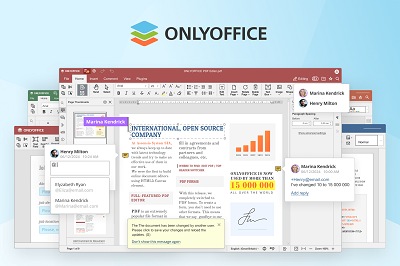 ONLYOFFICE
 SoftMaker
 Softonic.com
 Thumbtack
 Microsoft
 Magnific